 Sail Hub
 Themes and appearance
Pretty much everything about how Sail looks can be changed, and most of it is in Settings → Appearance.
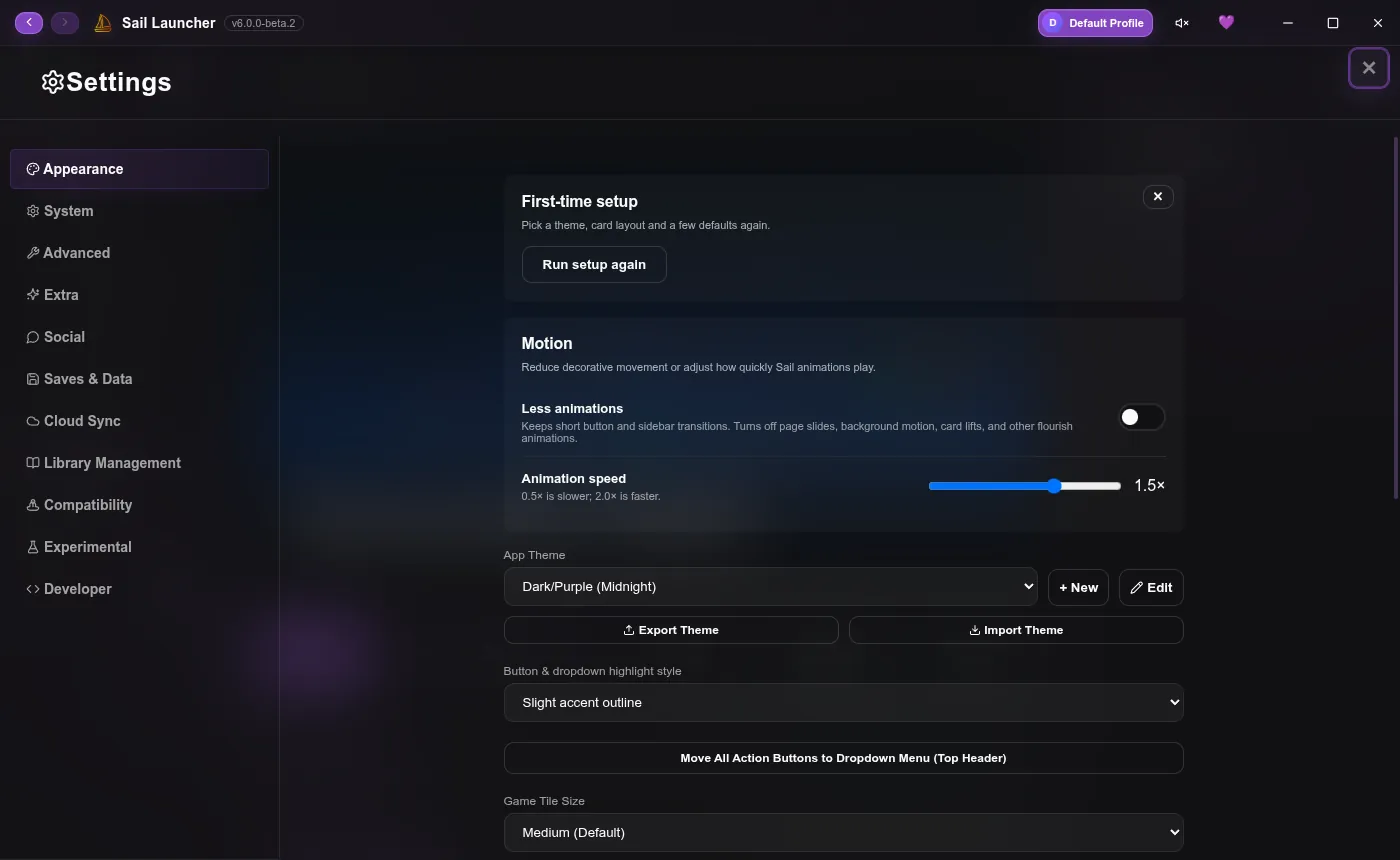
Themes#
Sail comes with themes like Midnight, Neon, Cherry, Ocean, Frost, Cyberpunk, Forest, Sunset and Monochrome.
- + New and Edit make your own: colours, backgrounds (including animated ones) and more.
- Export Theme and Import Theme share them as files.
- More themes from other people are on Sail Hub, one click to install.
Fonts and tiles#
- App Font, including your own
.ttfor.otfwith Import Custom Font…. - Game Tile Size and Game Tile Shape (rounded, square, squircle, pill or circle).
Glass#
Sail's panels are frosted glass. Glass Translucency (in Settings → System) sets how see-through they are. Prefer flat panels? Turn on Use legacy interface.
Motion#
- Less animations keeps the quick button and sidebar transitions, and turns off page slides, background motion and card lifts.
- Animation speed goes from half to double speed.
- If your system asks for reduced motion, Sail follows it.
Moving things around#
Settings → Extra chooses which pages appear in the sidebar, which buttons show at the top, and where whole regions go: the page list and folders on the left or right, and the friends bar on either side.
The UI editor goes further: move and resize parts of the interface by hand, and save the result as part of a theme.
Whole new layouts#
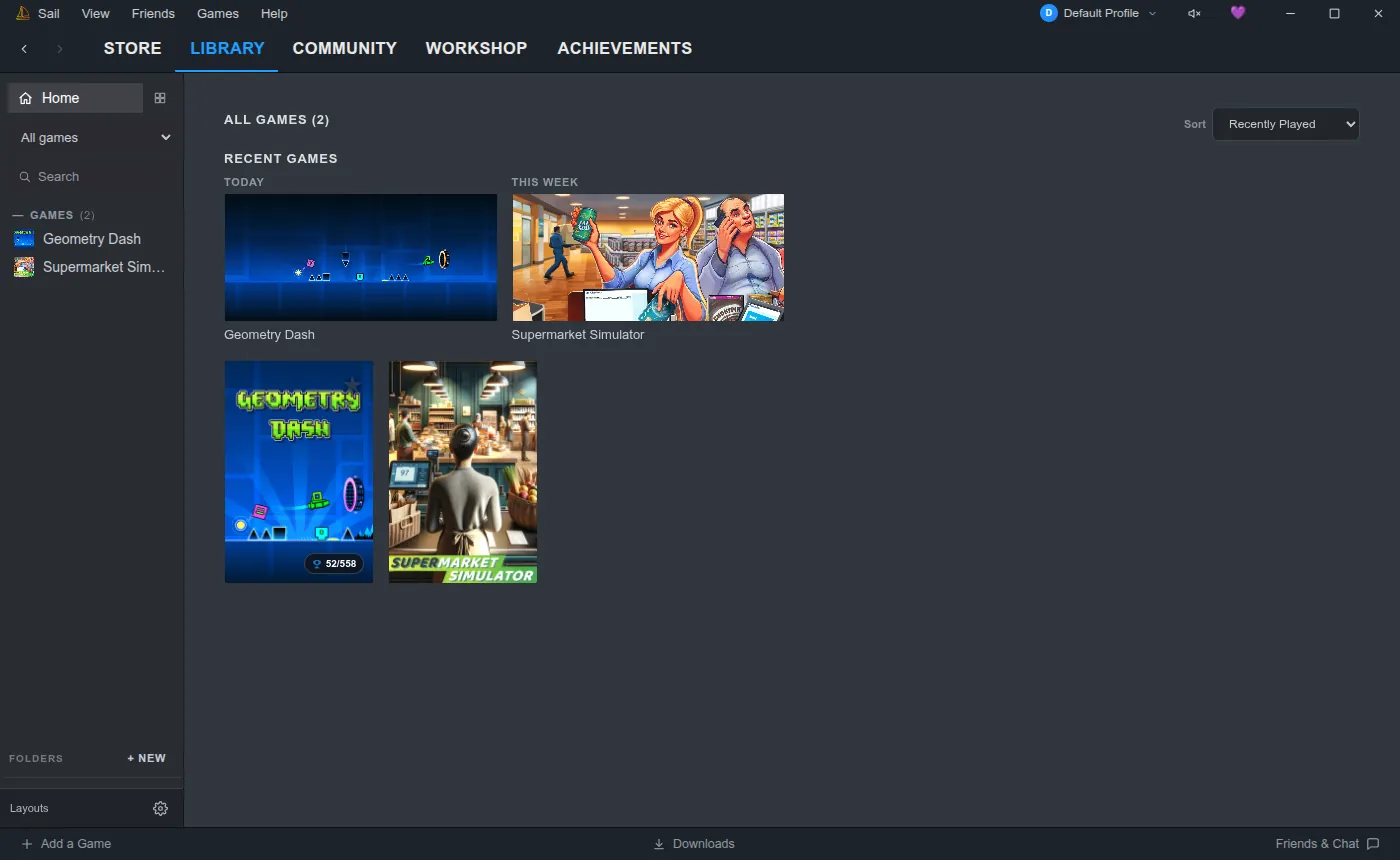
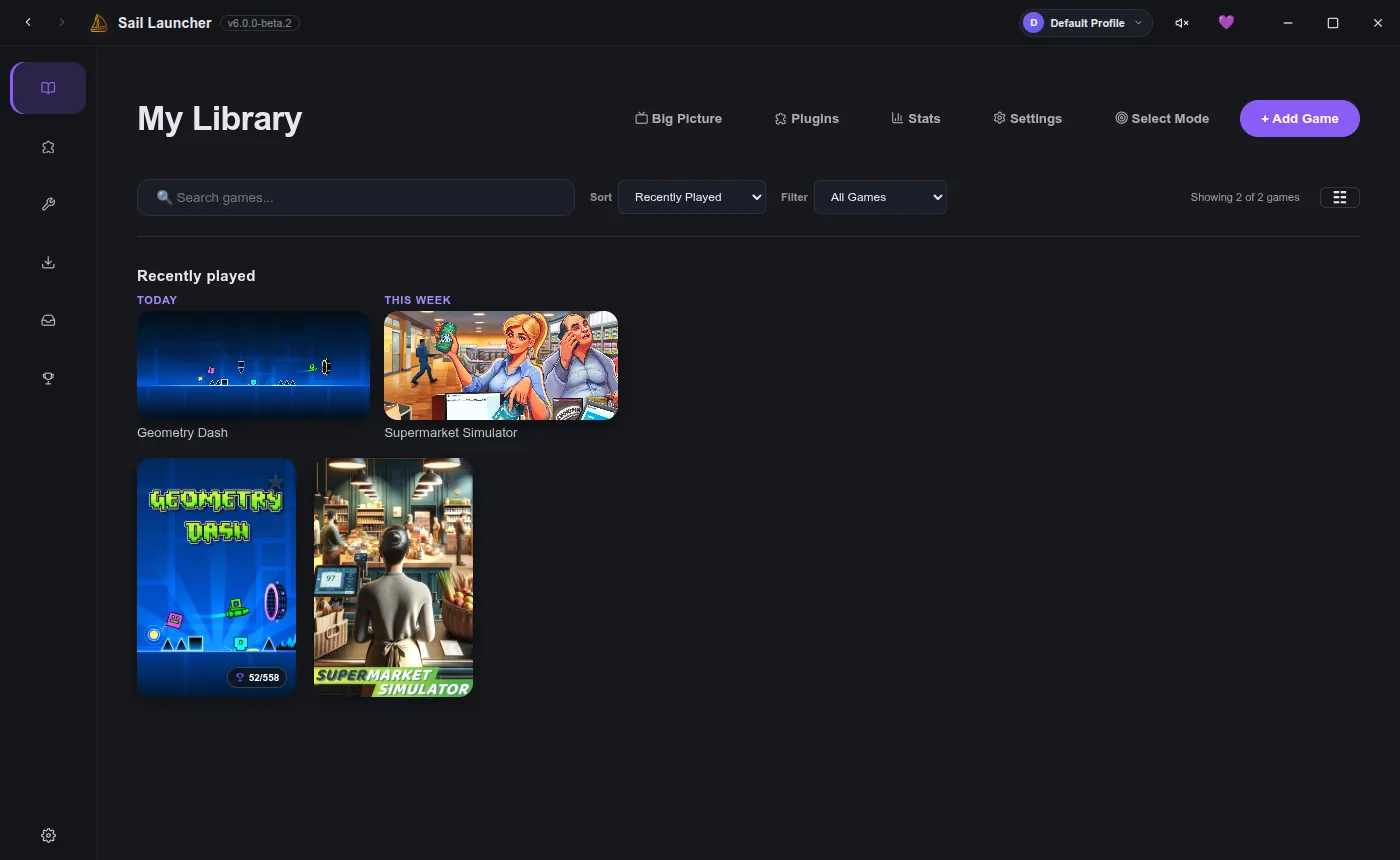
To make Sail look like Steam or something else entirely, install Library Layouts. It comes with a Steam layout, and others can be installed from Sail Hub.
| Steam layout | Rail layout |
|---|---|
 |  |
Want to make one? See Make a layout.
Last updated 20 October 2026